File launcher for Windows
Every file on your machine is three keystrokes away.
Trace has no window until you call it. Press one key combination from anywhere, type part of a name, press Enter.
The keys above follow yours. Press Ctrl + Shift + Space to see what appears.
The window
And this is what appears.
Recorded on Windows. Nothing is sent anywhere.
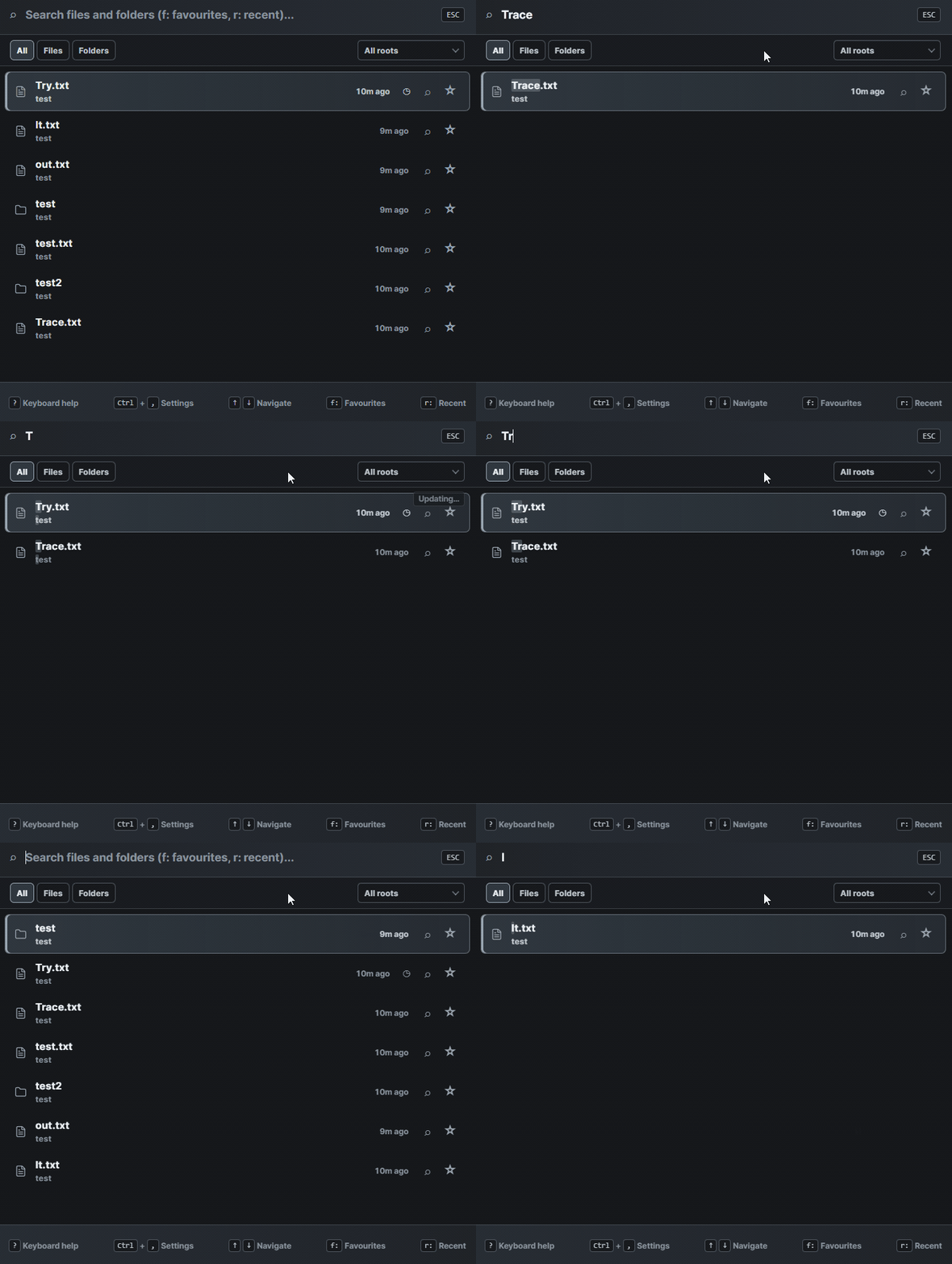
- Type part of a name or path.
- Starred favourites rank ahead of everything else.
- Every action has a key. ? lists them all.
- Start with f: or r: to search only favourites or recent files.
What it does
Six things, one text field.
-
Search that keeps up with you
Matches names and paths, and forgives letters you skip. Results come from a local index, so the list narrows on the keystroke rather than after it.
-
Favourites and recents
Both rank ahead of everything else, and both are searchable on their own. The recent set stops at five, so it stays a shortcut instead of becoming a second index.
-
Browsing, when searching is not enough
Open a folder to step into it and keep searching inside it, with breadcrumbs to get back out. A search can turn into exploring without changing tools.
-
An index that stays true
File system changes are applied as they happen. Anything missed while Trace was closed is reconciled in the background, so the list is never quietly out of date.
-
Yours to shape
Choose which folders are indexed and what to skip. Every shortcut is remappable, including the one that opens Trace, and a conflict is reported rather than silently swallowed.
-
Follows your desktop
Light or dark to match the system, with density, icon, and typography settings for when the default is not quite right.
-
Windows x64
Supported
Supported and tested. Use the .exe installer, or the .msi for managed deployment.
-
macOS
Experimental
Built and tested by CI on every change, but not yet run on a real Mac.
-
Linux
Experimental
Built and tested by CI on every change, but not yet run on a real desktop.
Privacy
Zero network requests.
Not for search, not for updates, not for crash reports.
Paths, search metadata, and usage history live in one SQLite database in Trace's own app-data folder. A single action in Settings clears all of it and starts over, without ever touching your actual files. Every table and exactly what it stores is documented in the repository.